Foreign tourists in Korea can get a refund on value-added tax (VAT) when they shop at stores with a "Tax Free" sign. For expensive electronics such as smartphones, laptops, and cameras, the amount you get back and when you get it depend on the refund method and the customs steps you follow when you leave. Tax Free is a system that lets foreign tourists claim back the tax on goods they buy during a trip. A Global Tax Free notice posted at a store entrance in Seoul's Myeongdong shopping district. Photo: Tenant News Refunds are about 4–8% of the purchase price The Tax Free refund applies to foreign tourists who spend at least ₩15,000 per receipt. The amount you actually get back is about 4–8% of the purchase price. The taxes refunded are VAT and the individual consumption tax. The VAT included in the price is about 9%, and you receive that amount minus the refund agency's fee. You qualify if you are a non-resident foreigner staying in Korea for less th...
Yes, you can use Naver Map in English. Change the language to English in the app settings, and the menus and directions appear in English. Some reviews and small shop names may still appear in Korean. The safest approach is to search by the Korean name and install Kakao Map as a backup.
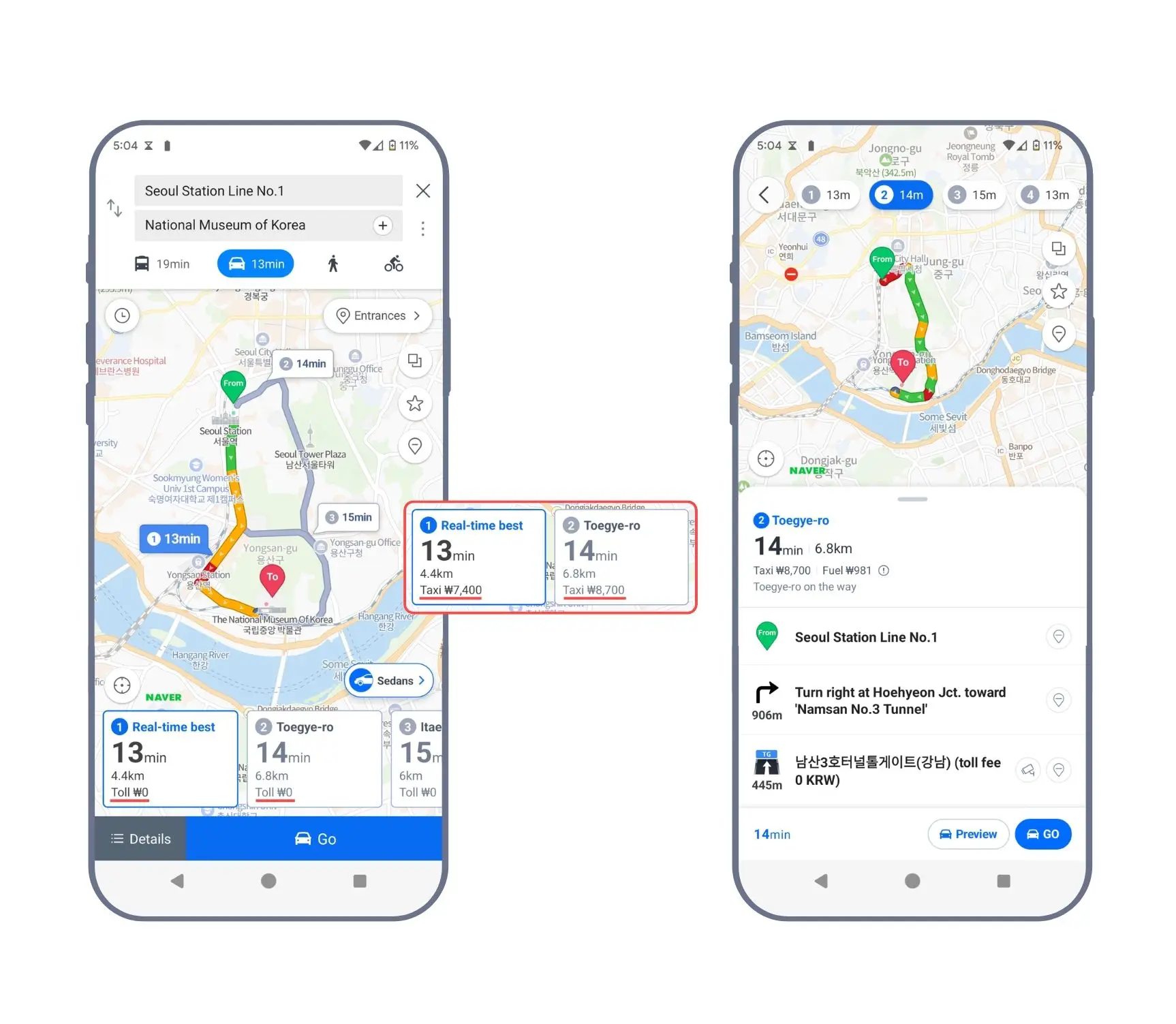
What Naver Map Supports in English
Naver Map supports four languages: Korean, English, Chinese, and Japanese. The App Store description says the app offers English directions. From one search bar, you can find places, bus routes, and subway lines. Real-time public transit arrivals and Street View are in the same app. The app is free.
The Reservation tab is also available in English, Chinese, and Japanese. The app's tabs are Discover, Reservation, Transit, Navigation, and Saved.
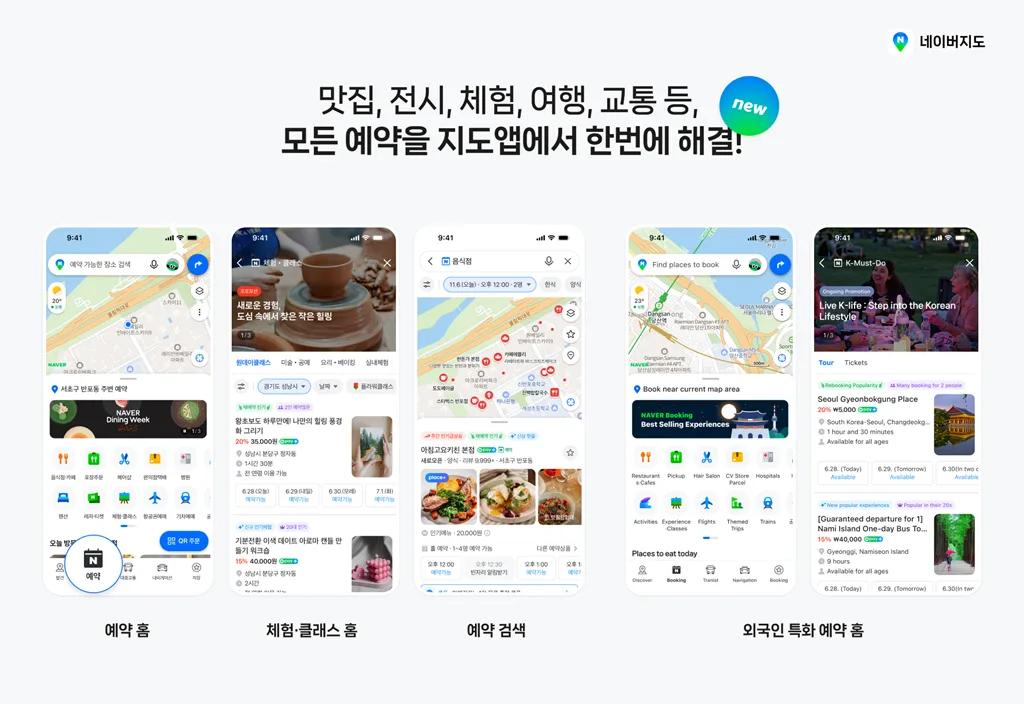
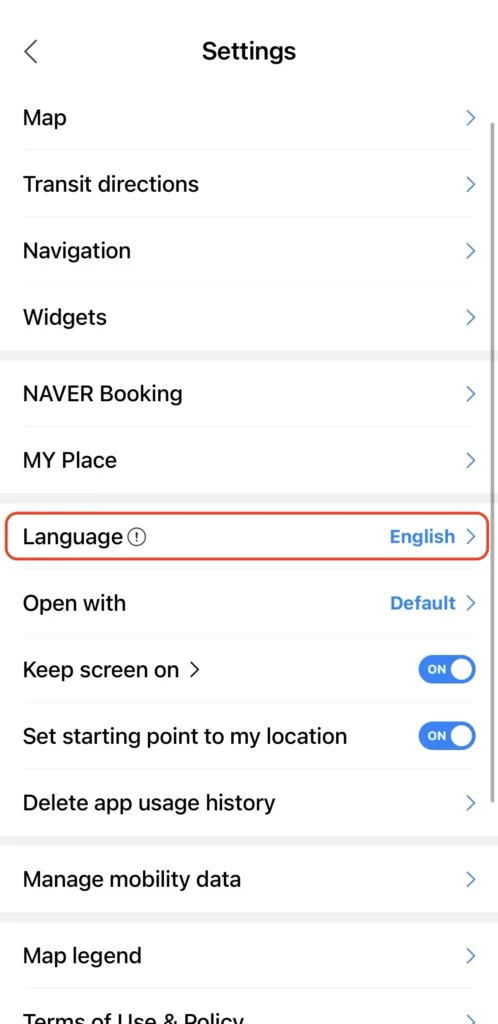
Switch to English in the MY Tab
You change the language from the MY tab in the Naver Map app.
1. Open the MY tab in the Naver Map app.
2. Tap Settings.
3. Tap Language and choose English.
If the screen does not change, close the app and open it again. On an iPhone, you can also change Preferred Language under NAVER Map in your phone's settings. Some content follows your phone's language setting, so setting your phone to English as well reduces the amount of Korean you see.
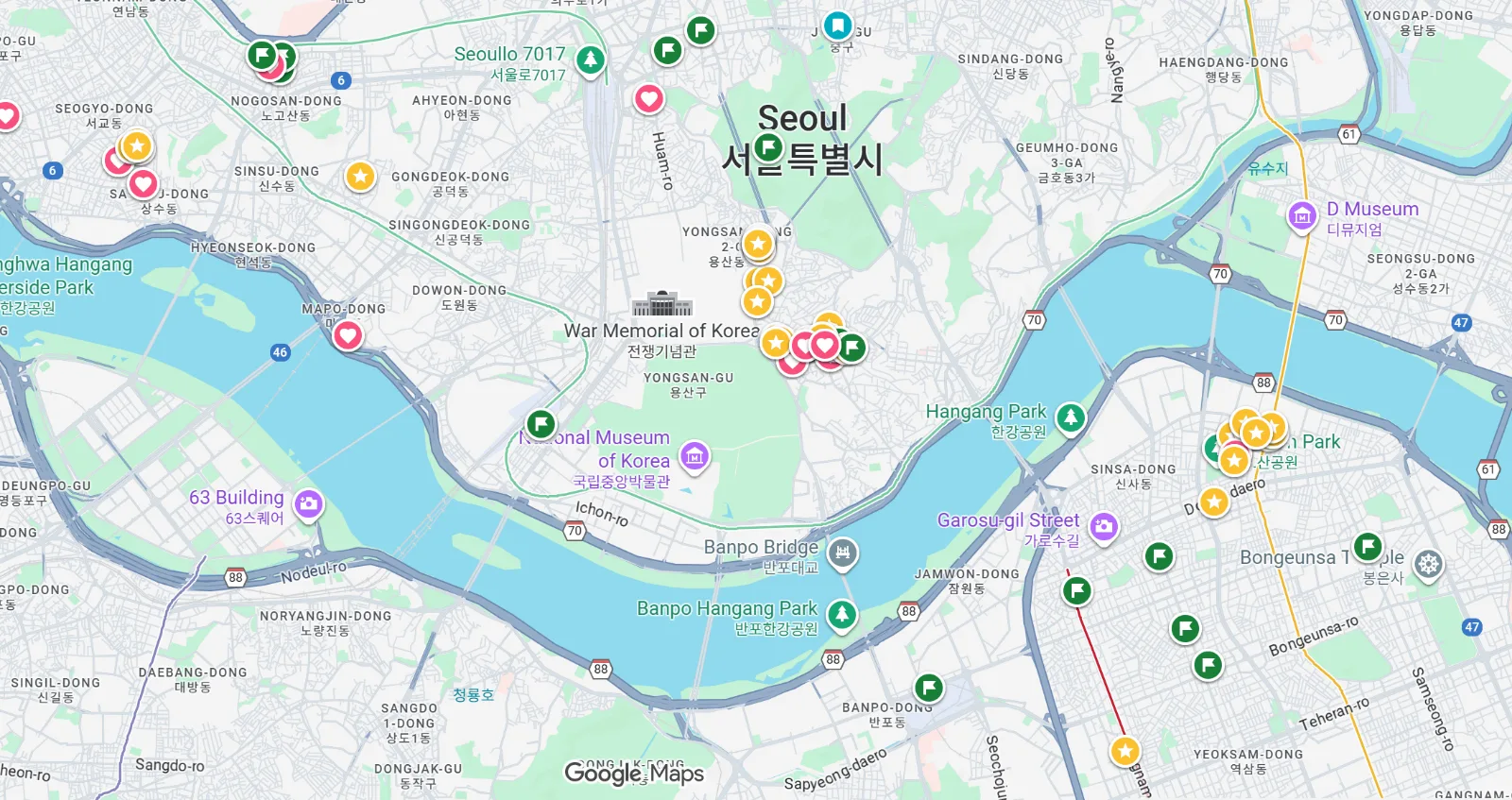
Google Maps Cannot Give Directions in Korea
In Korea, Google Maps shows places, but walking and driving directions are restricted. The reason is that Google cannot move its 1:5000-scale map data to servers overseas.
On February 27, the government conditionally approved the export of Google's 1:5000 map data. The conditions are blurring military and security facilities, limiting coordinate display on domestic maps, and processing data on domestic servers through a Korean partner. The approved scope is limited to the data needed for navigation and directions. It will take at least several months before any data is actually exported. For now, Naver Map is the practical default map for a trip to Korea.
Korean That Stays in English Mode
Even in English mode, reviews and some small shop names appear in Korean. Reviews written in Korean are shown with machine translation, so the wording can be awkward. Small shops often have no English name and appear only in Korean.
In that case, copy the Korean name and address and paste them into the search bar.
1. Copy the Korean name or address of the place you want to visit.
2. Paste it into the Naver Map search bar.
3. Check the location in the results and save it.
If you download an offline map in advance, you can use basic directions in areas with a weak connection. Real-time directions and transit information need an internet connection.
Naver Map vs. Kakao Map
Naver Map is stronger for English transfer and exit information. Kakao Map is stronger for real-time buses and taxis. Install both. Kakao Map is a map app made by Kakao, a Korean web portal company.
- Naver Map: Gives subway transfer and exit-number guidance in English. It has rich business information and reviews, and its driving directions have an English voice guidance option.
- Kakao Map: Strong for real-time bus arrivals and taxi calls (linked with Kakao T). You can search for a shop by the last 7 or 8 digits of its phone number. English support is partial, so reviews and business descriptions written by Korean users are not translated. Driving directions are in a separate app, Kakao Navi.
If you pick only one app, pick Naver Map.
Using It Without a Korean Phone Number
You can use the basic map without a Korean phone number. Search and directions do not require one.
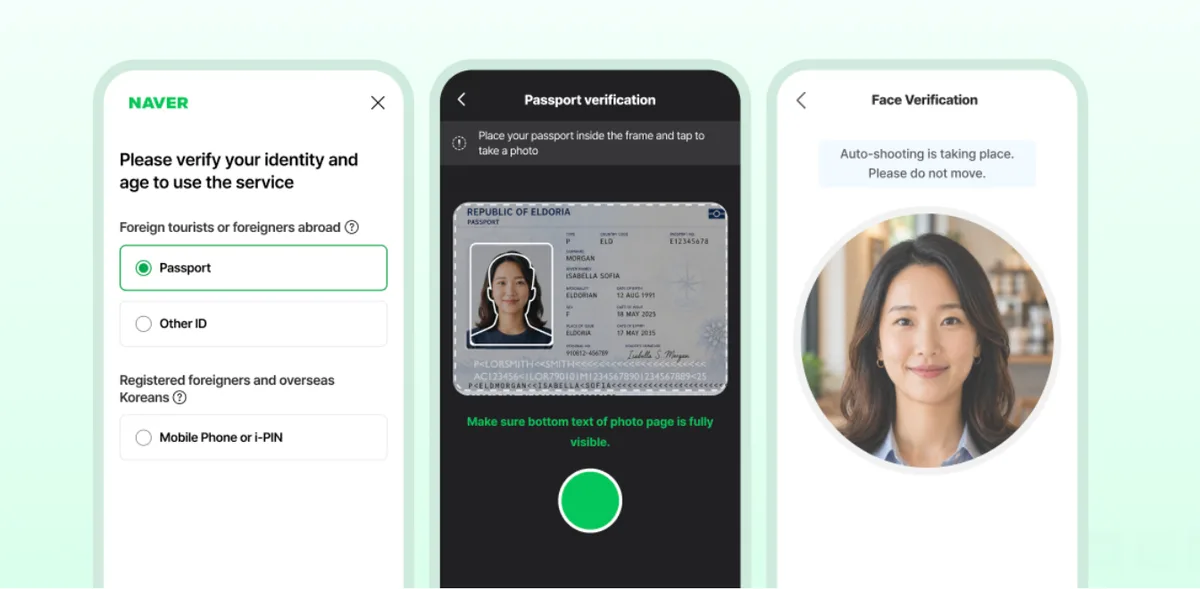
For reservations, orders, and payments, passport verification, introduced on June 4, lets you skip the Korean mobile number. Foreigners with a passport issued abroad verify their identity on a smartphone. It applies to Naver reservations, orders, and payments used through Naver Map.
Before you leave, install Naver Map and set the language to English. Save your hotel, the airport, stations, and places you want to visit, and install Kakao Map as a backup. Then you are ready. From the day you arrive, you can find your way on an English screen.